Your Branded Online Shop
Live in 2 Weeks.
A frictionless buying experience for your clients. Browse, search, upload bulk orders, check out. Fully integrated with your ERP.
How It Works
Build an extraordinary buying experience for your customers.
Step 1
Sync Your Inventory
Seed the shop with the inventory from your ERP. Data refreshed every 2 hours via API.
Step 2
Customer Orders
Clients order online uploading RFQ/MTO or 1-page catalog. Checkout with credit limit.
Step 3
Order to ERP
New orders transmitted to your ERP via secure API connection. No manual entries.
Step 4
Handle as Usual
Process the order in your ERP. Nothing changes in your workflow, you just get more orders.
What Your Buyers See
A clean, professional interface that works like they expect.
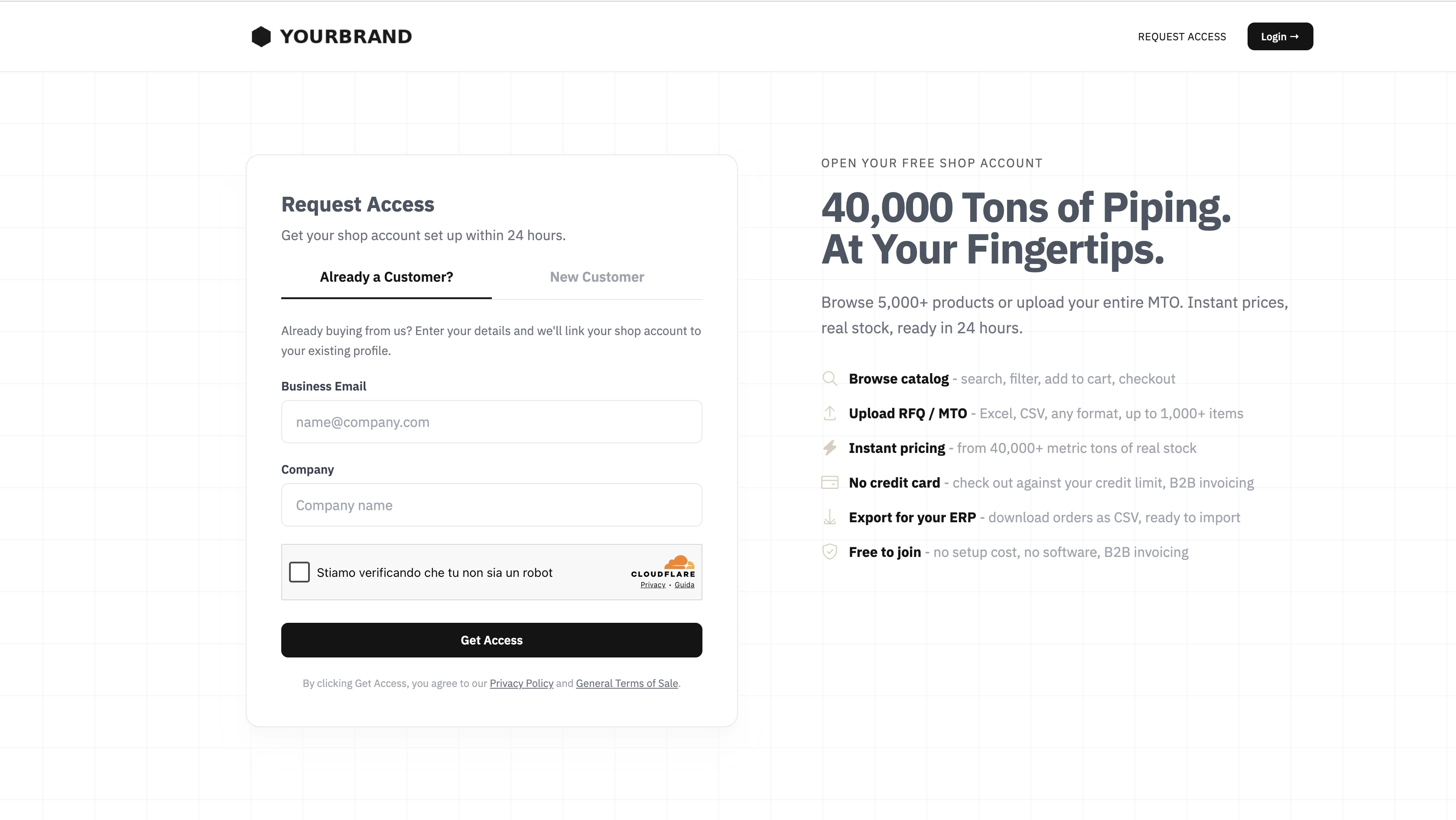
Controlled Access
New customers request access from the shop page. You review, approve, and assign a pricing tier. Need to onboard many buyers at once? Bulk-invite them from the dashboard.
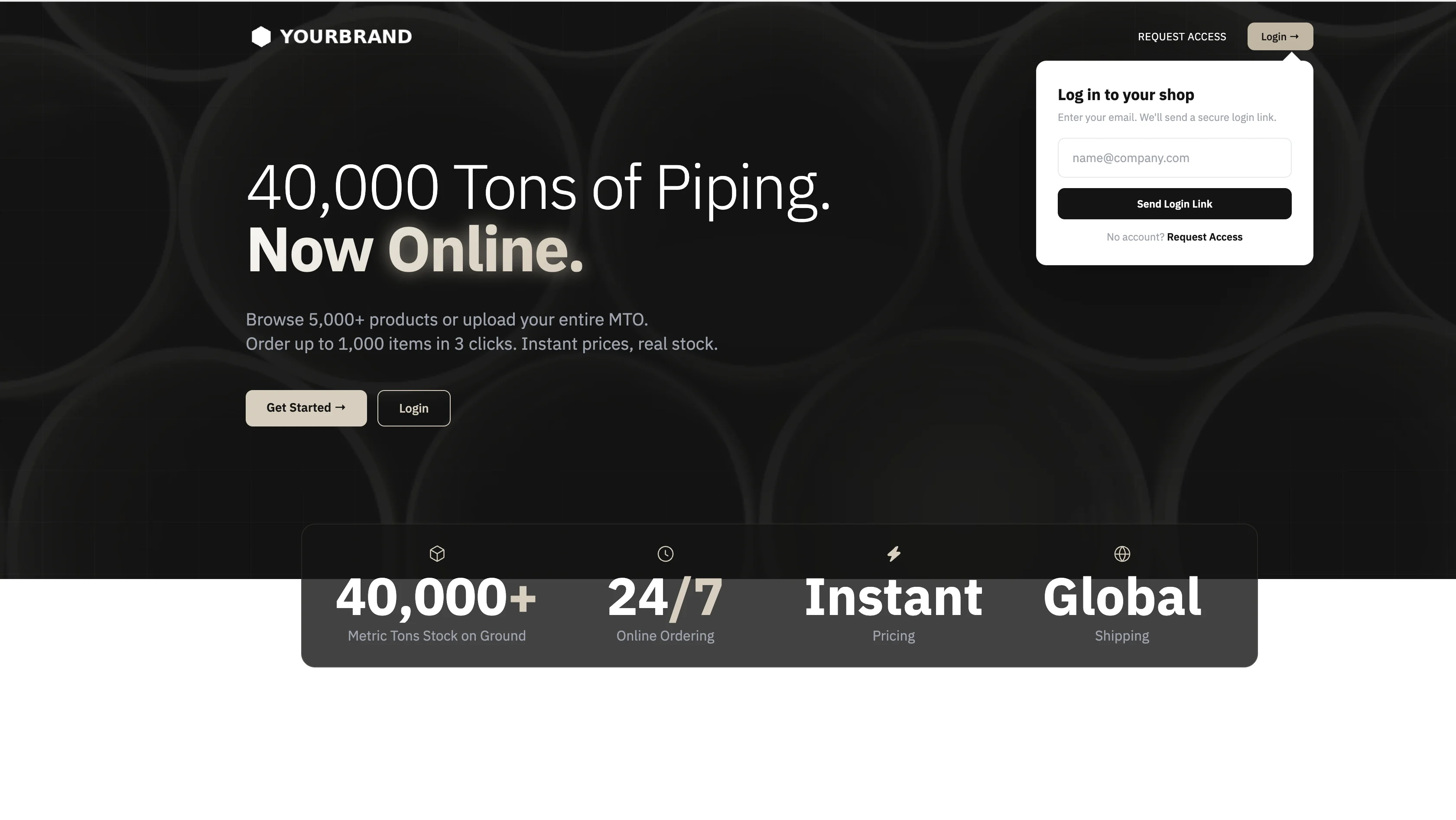
Magic Link Login
No passwords. Buyers enter their email and receive a one-time link to sign in. Zero friction, zero support tickets for forgotten passwords.
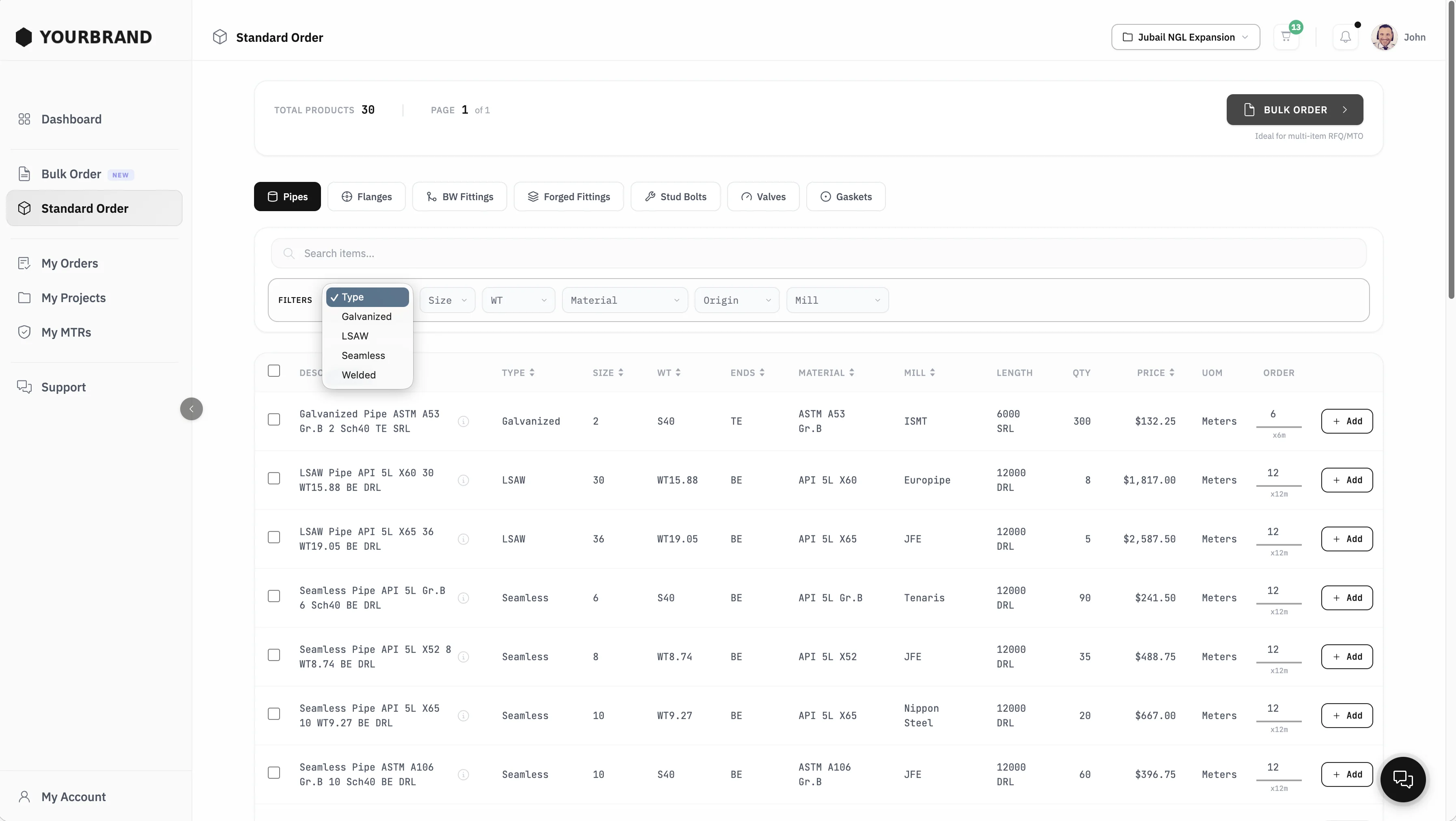
Standard Order
Your entire catalog on a single page. Filter by type, size, material, origin, mill. Add items to cart in one click. No endless navigation, no product pages to open.
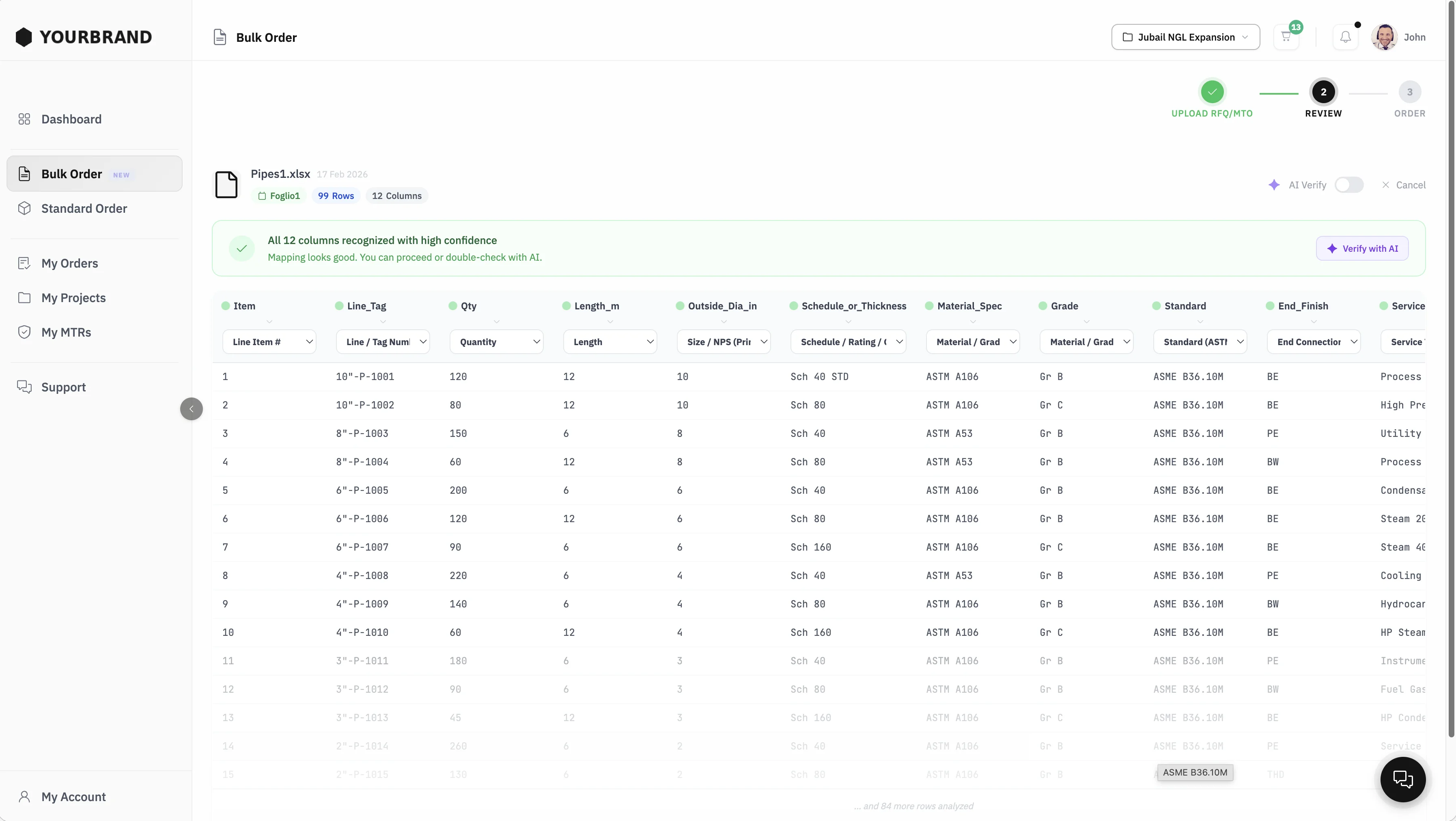
Bulk Order
Buyers upload their RFQ or MTO in any Excel format. The system reads the file, maps all columns automatically, and lets the buyer review before proceeding. No rigid templates.
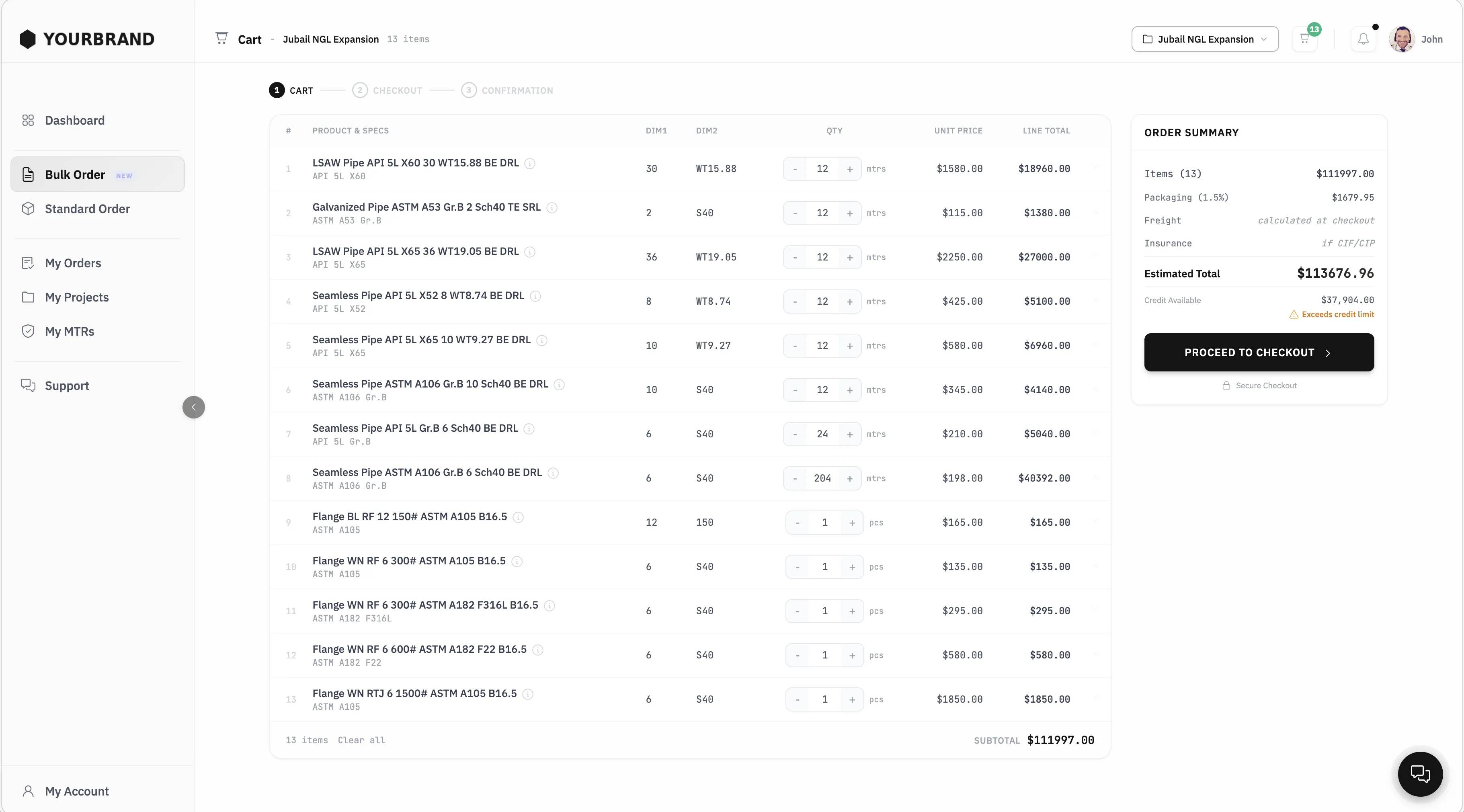
Cart by Project
Buyers manage separate carts for each project. Items, quantities, and pricing stay organized per job. Review the order summary and proceed to checkout when ready.
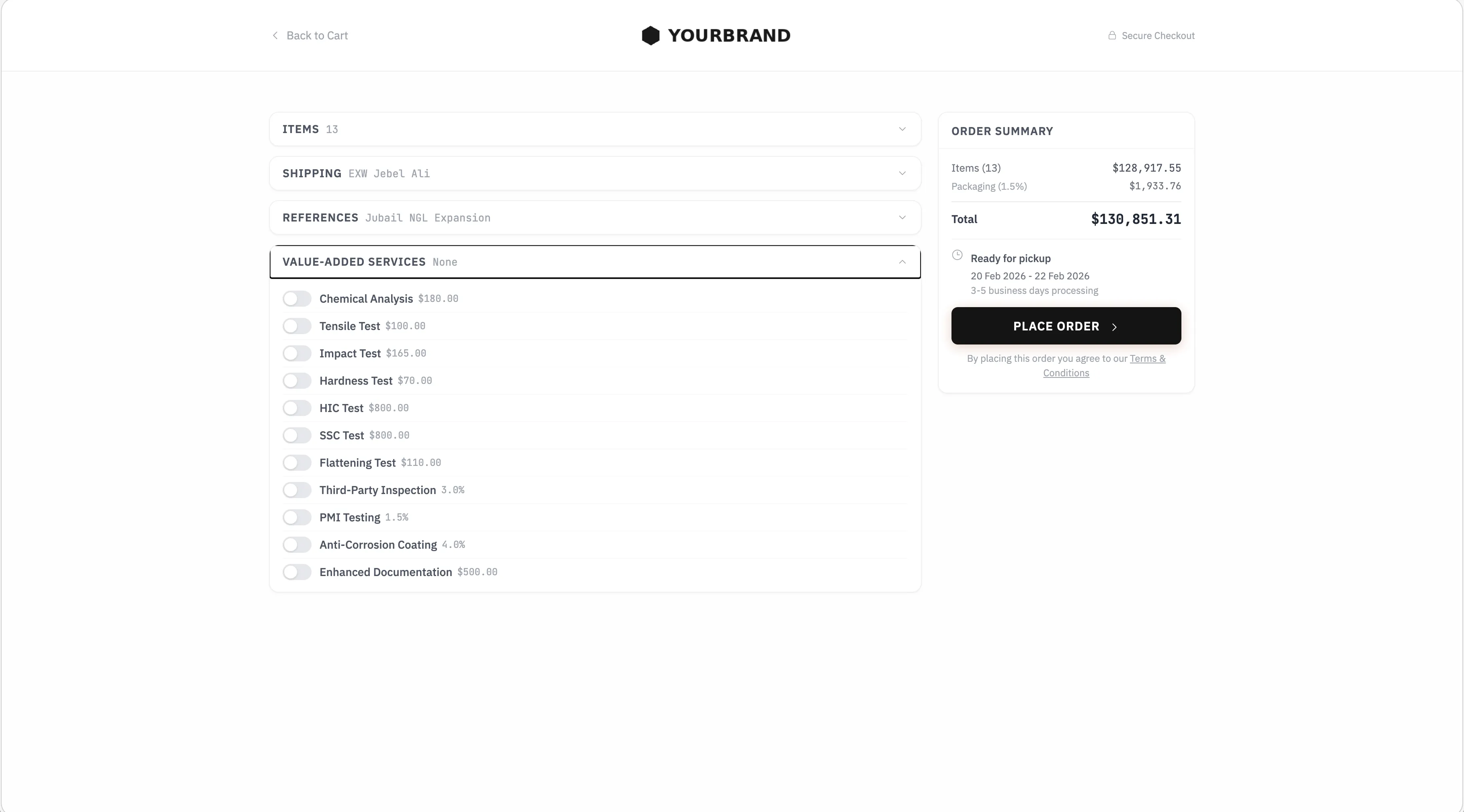
Focused Checkout
A distraction-free checkout page. Items, shipping, references, and optional value-added services on one screen. If credit limit allows, the order goes through instantly.
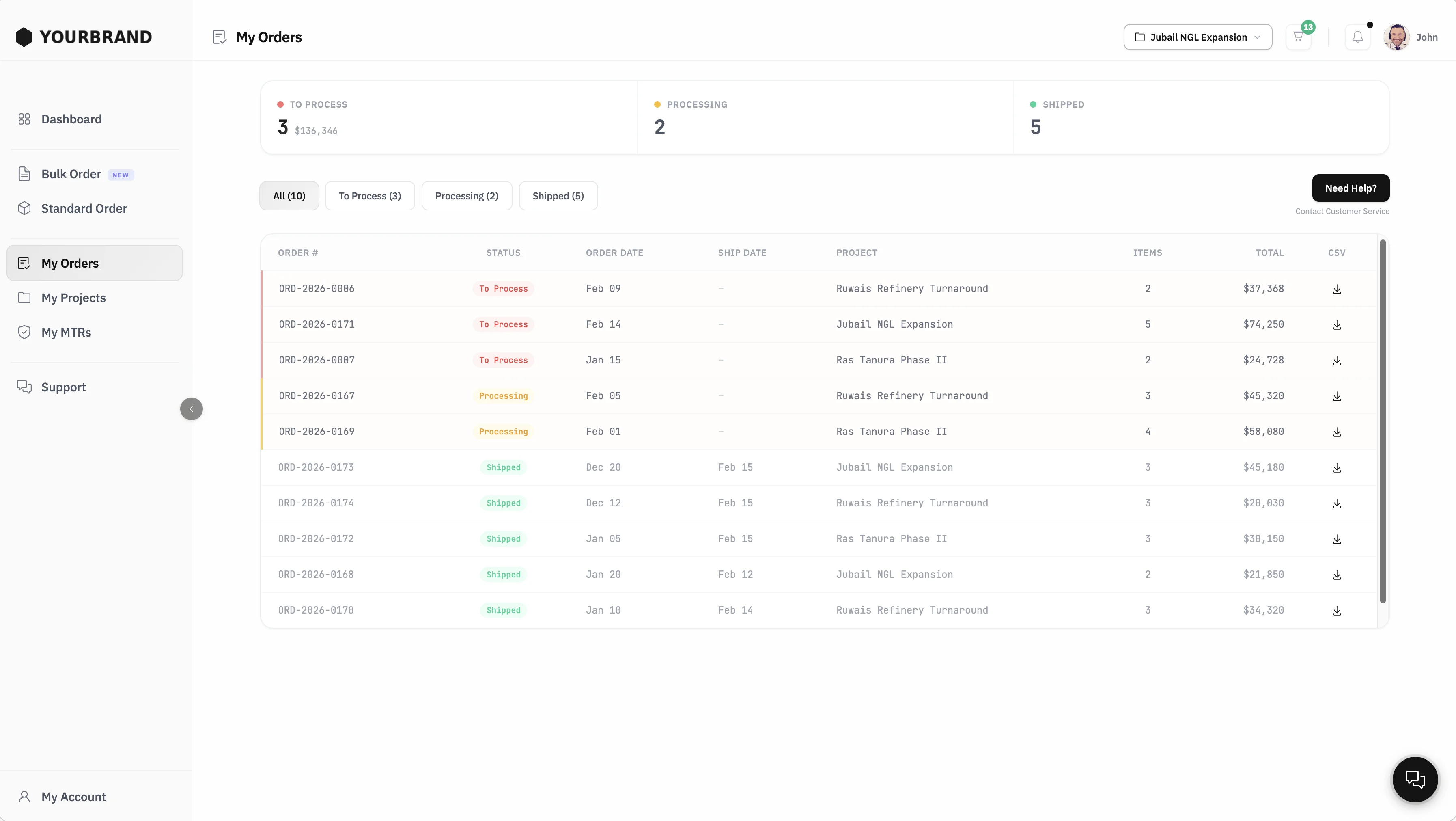
Order Tracking
All orders in one view. Filter by status, project, and date. Download CSV exports. Buyers always know where their material stands.
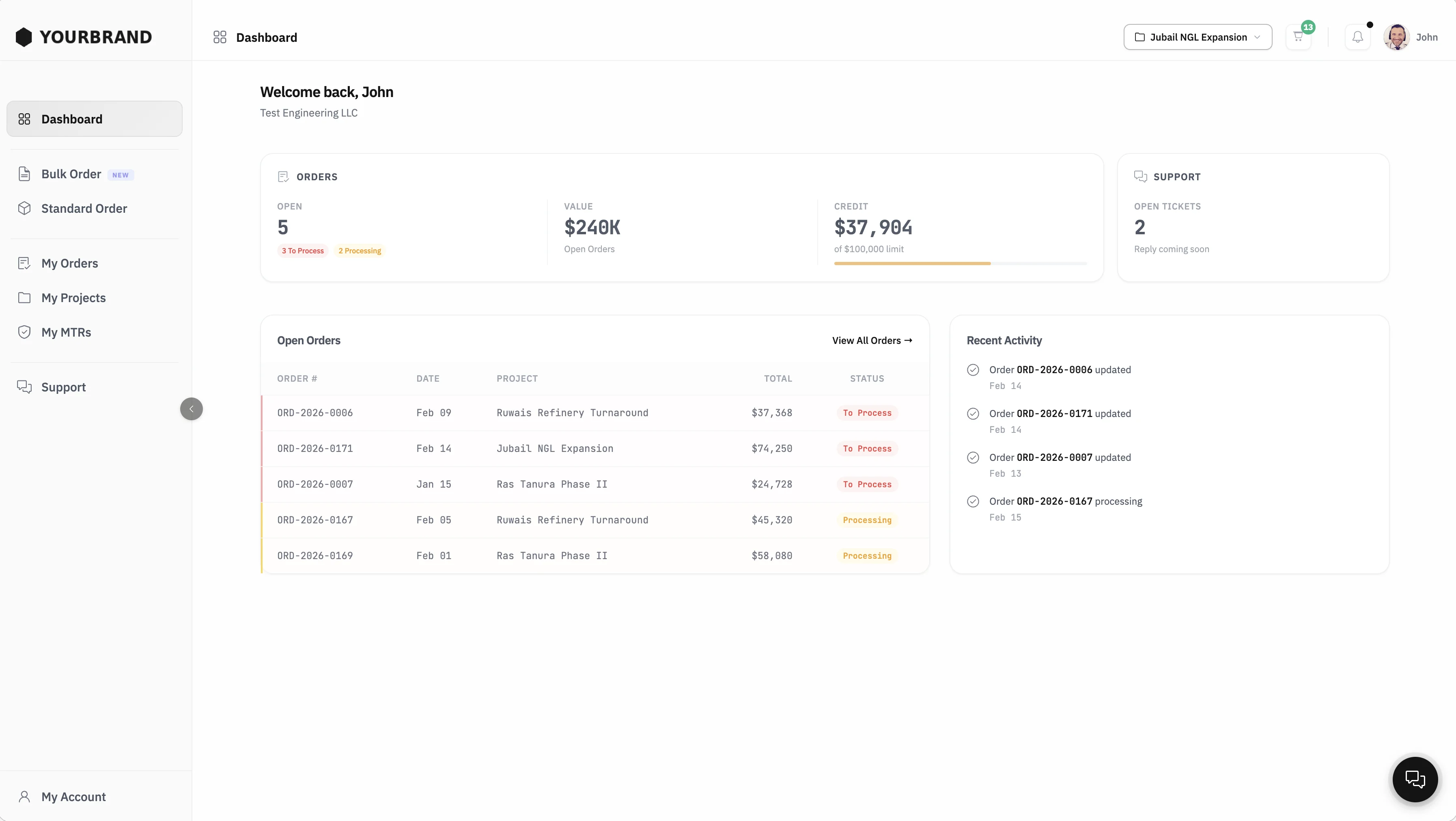
Buyer Dashboard
Each buyer sees open orders, total value, remaining credit, and support tickets at a glance. Activity feed tracks every order update in real time.
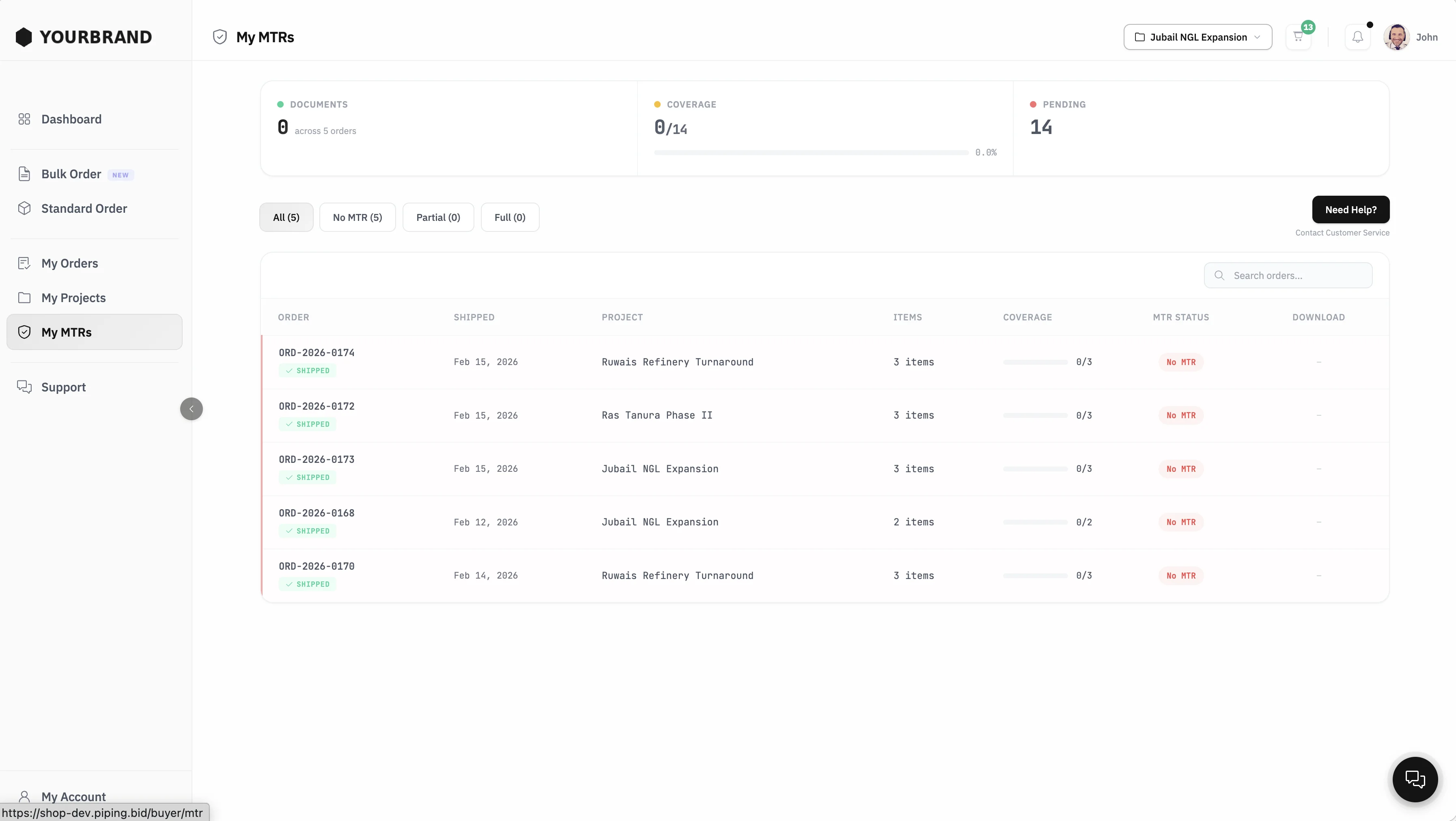
Mill Test Reports
All MTRs in one place, organized by order and project. Buyers check coverage, download documents, and track what is still pending. No more chasing certificates via email or WeTransfer.
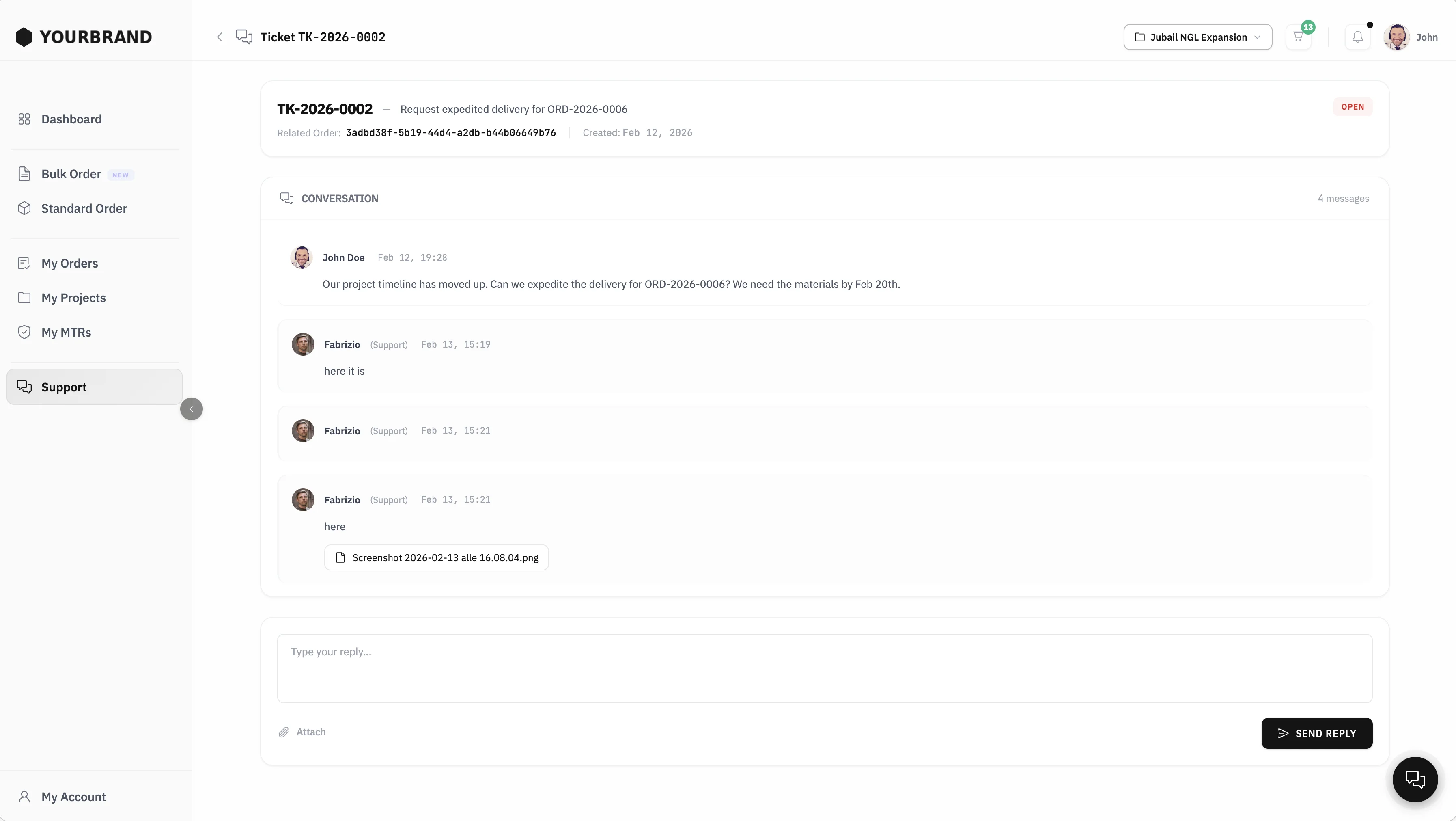
Built-in Support
Buyers open tickets linked to their orders and chat directly with your team. Attach files, track status, resolve issues. Everything in one place, no separate email threads.
What You See as Admin
Full control over orders, customers, inventory, and analytics. Your team manages everything from one dashboard.
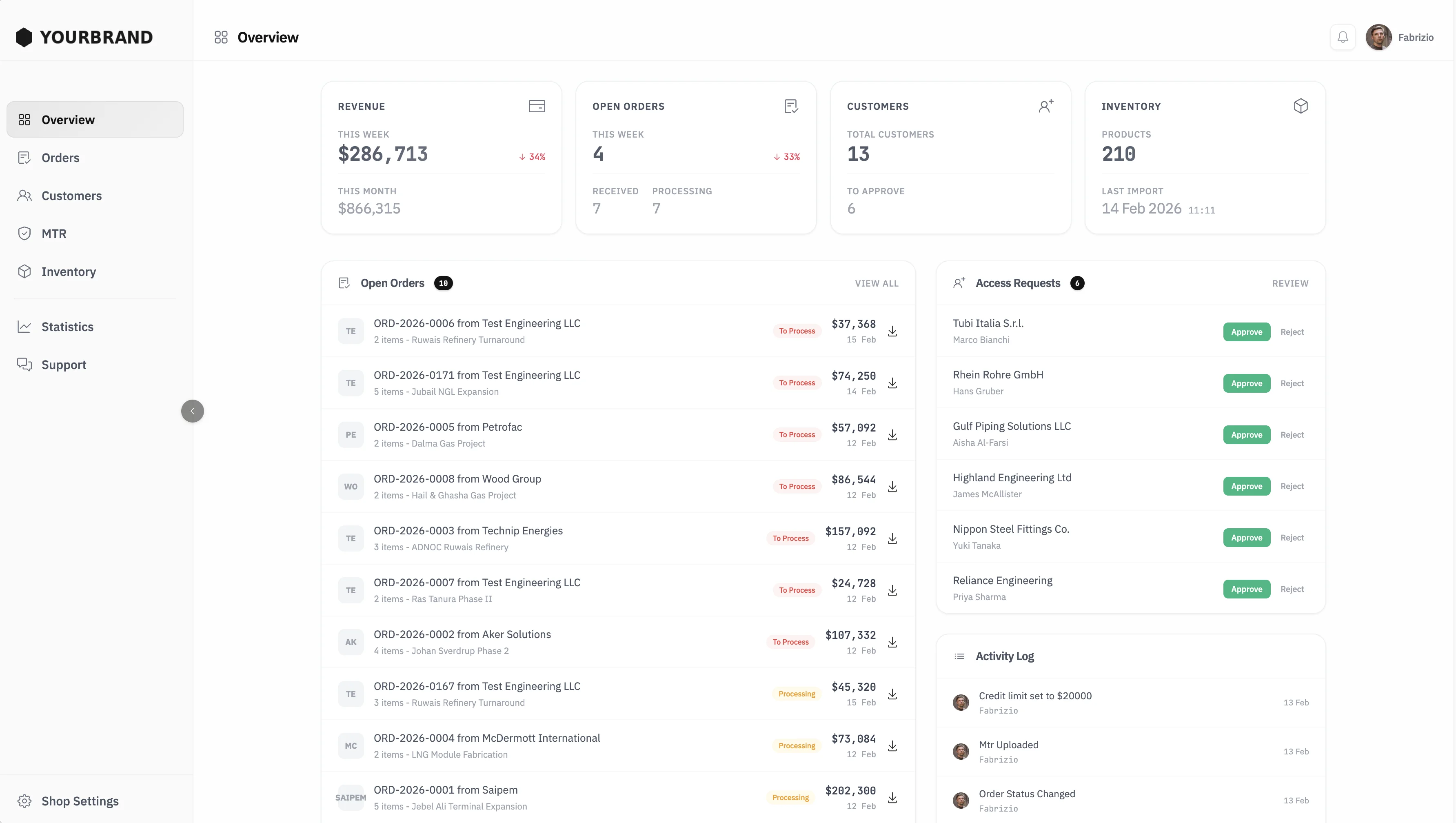
Overview
Revenue, open orders, customer count, and inventory status at a glance. Review and approve new access requests. Activity log tracks every event in real time.
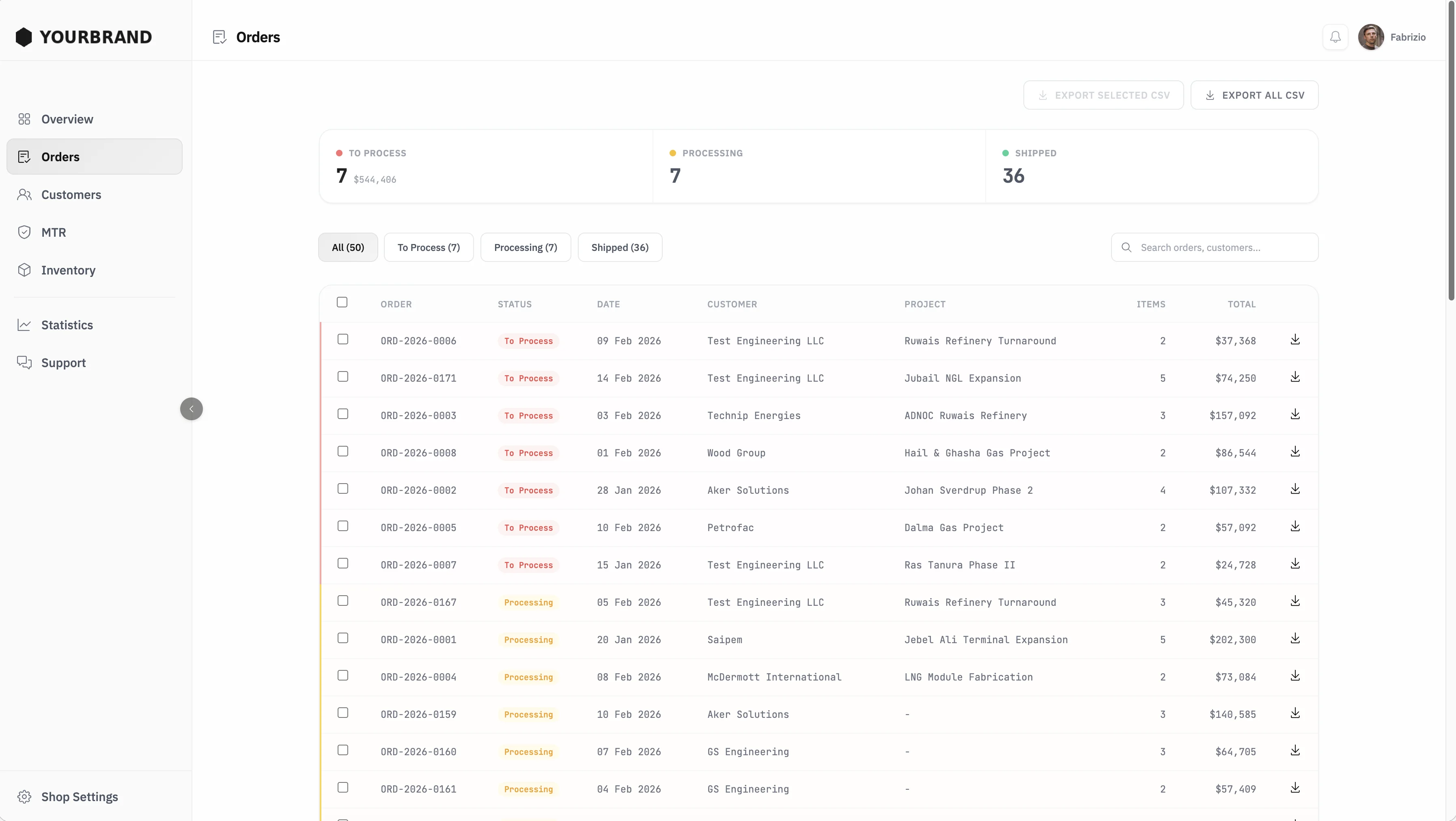
Order Management
All orders in one table. Filter by status: to process, processing, shipped. Export selected orders or the full list as CSV. Each order links to the customer and project.
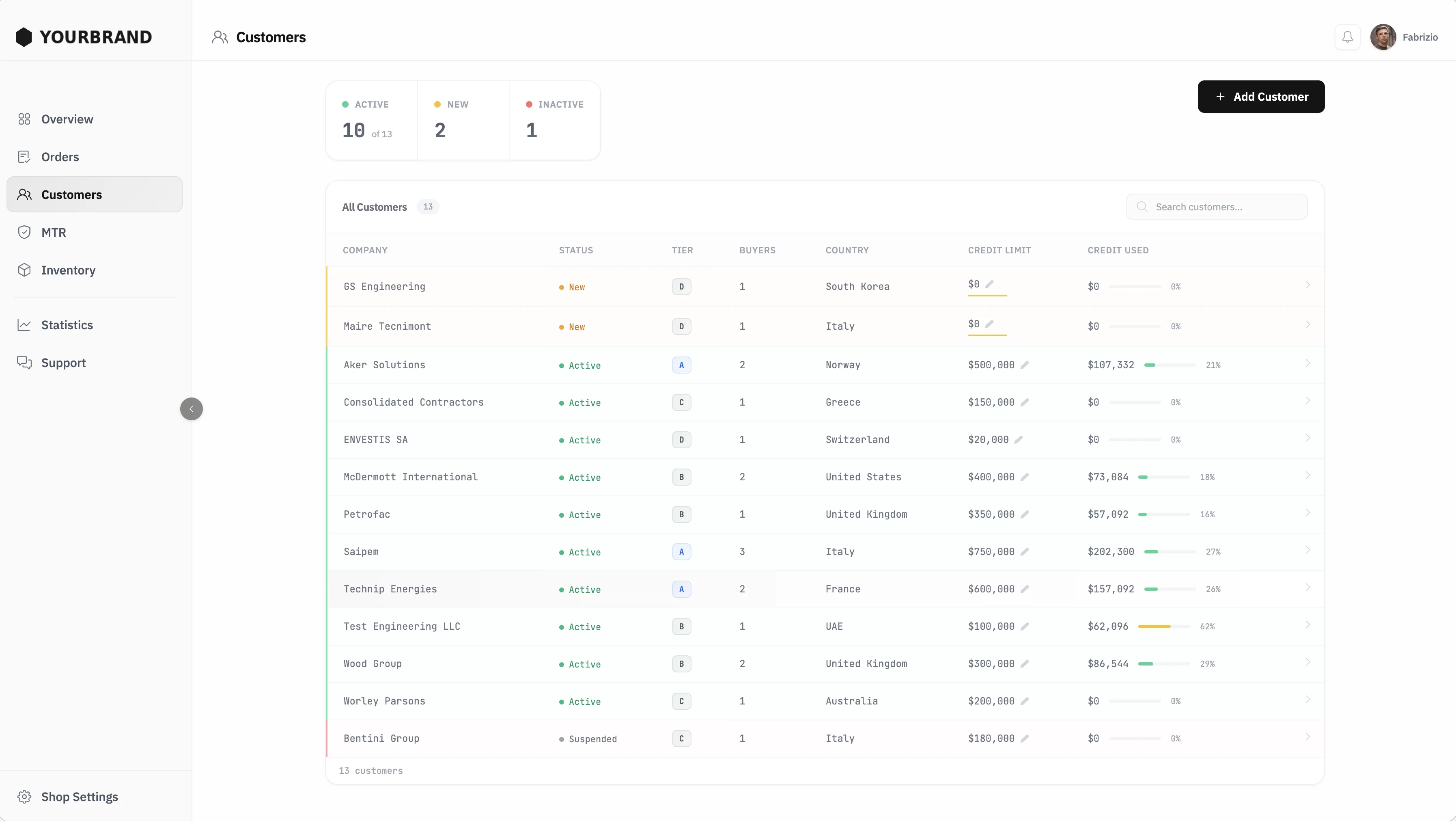
Customer Management
See every customer with their pricing tier, credit limit, and credit used. Approve new registrations, suspend accounts, and adjust limits with one click.
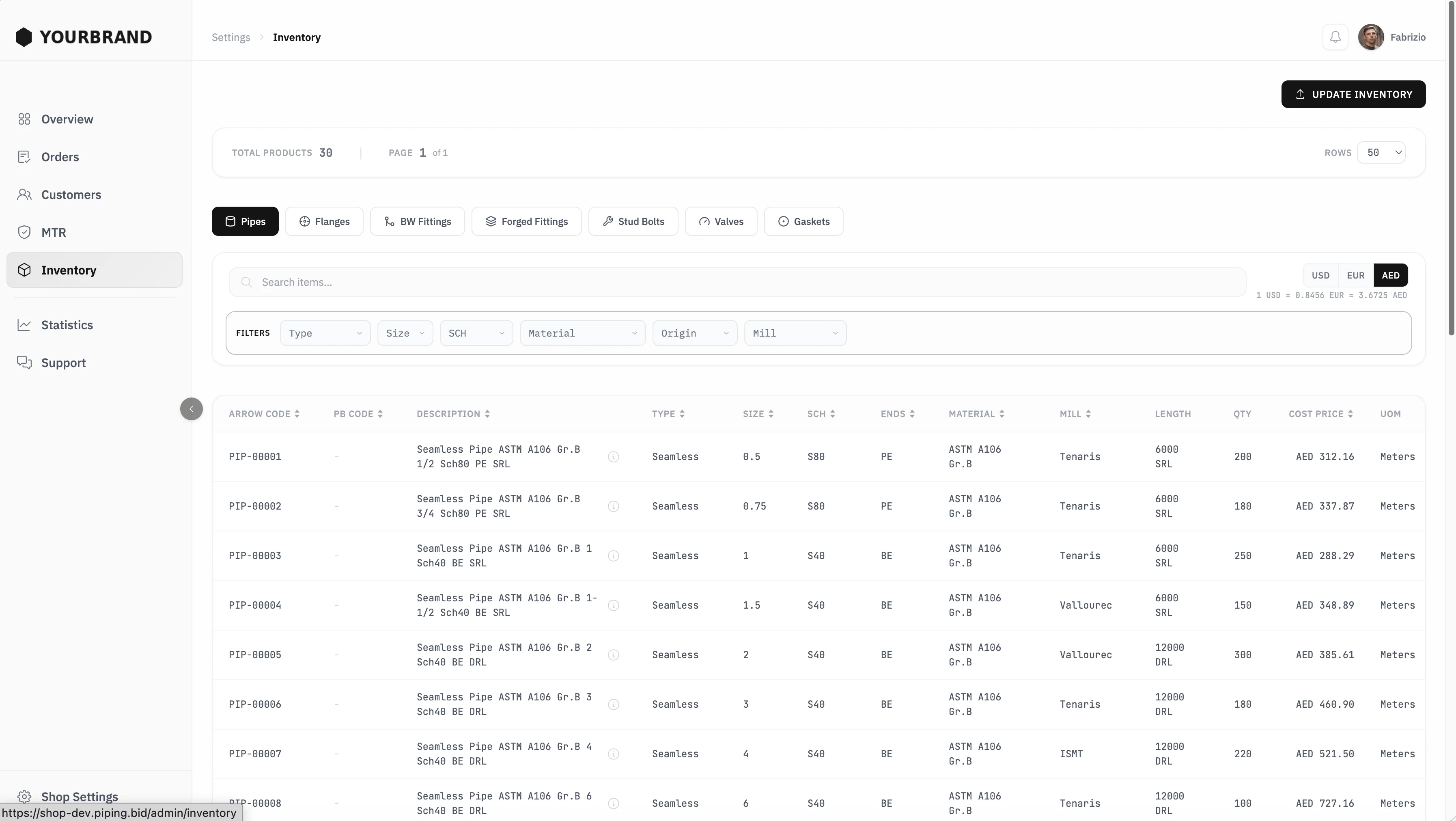
Inventory
Browse your catalog by product category: pipes, flanges, fittings, valves, gaskets. Filter, search, and check cost prices. Update inventory from your ERP with one click.
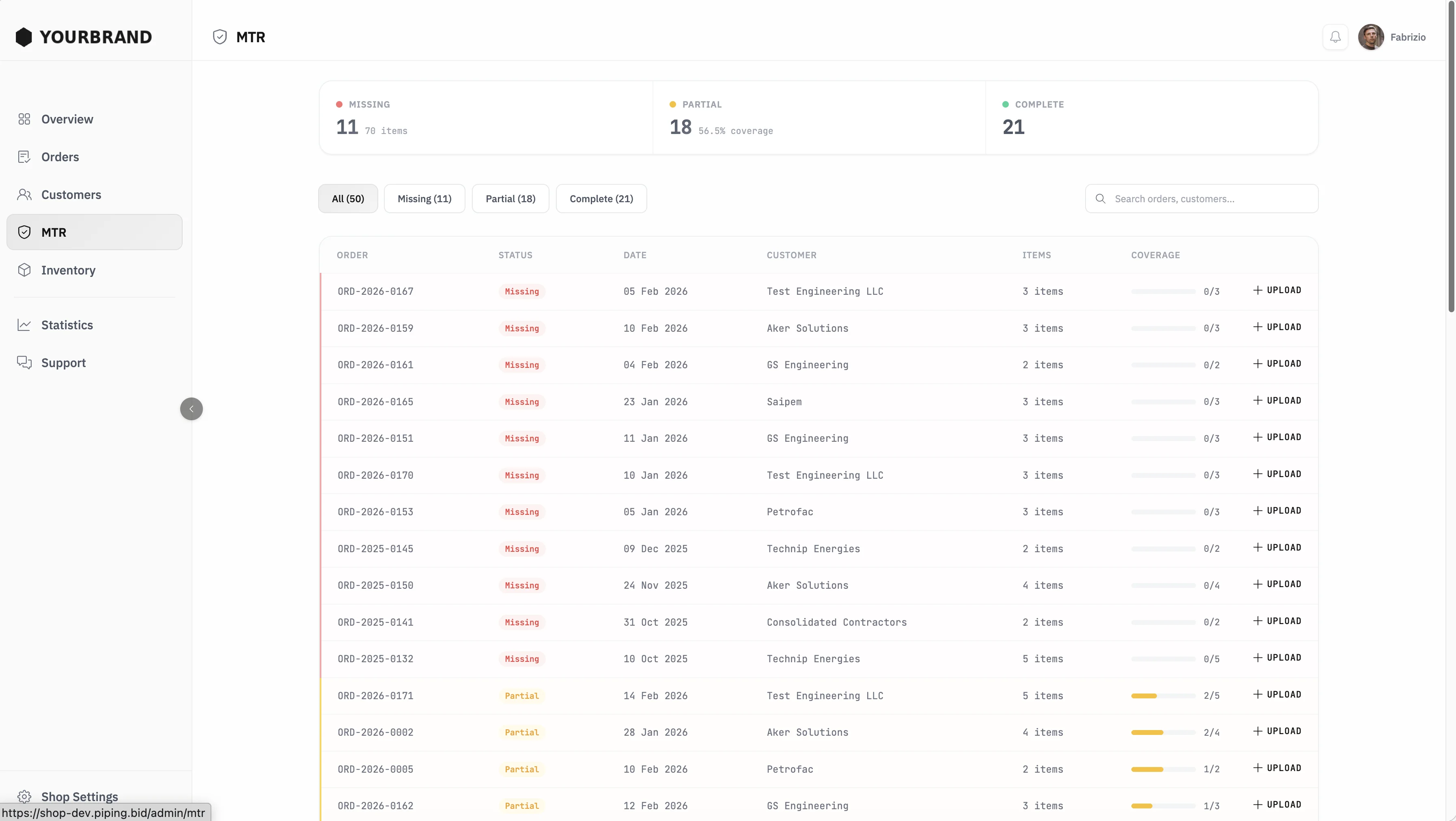
MTR Management
Track certificate coverage across all orders. See what is missing, partial, or complete. Upload MTRs directly and buyers get notified automatically.
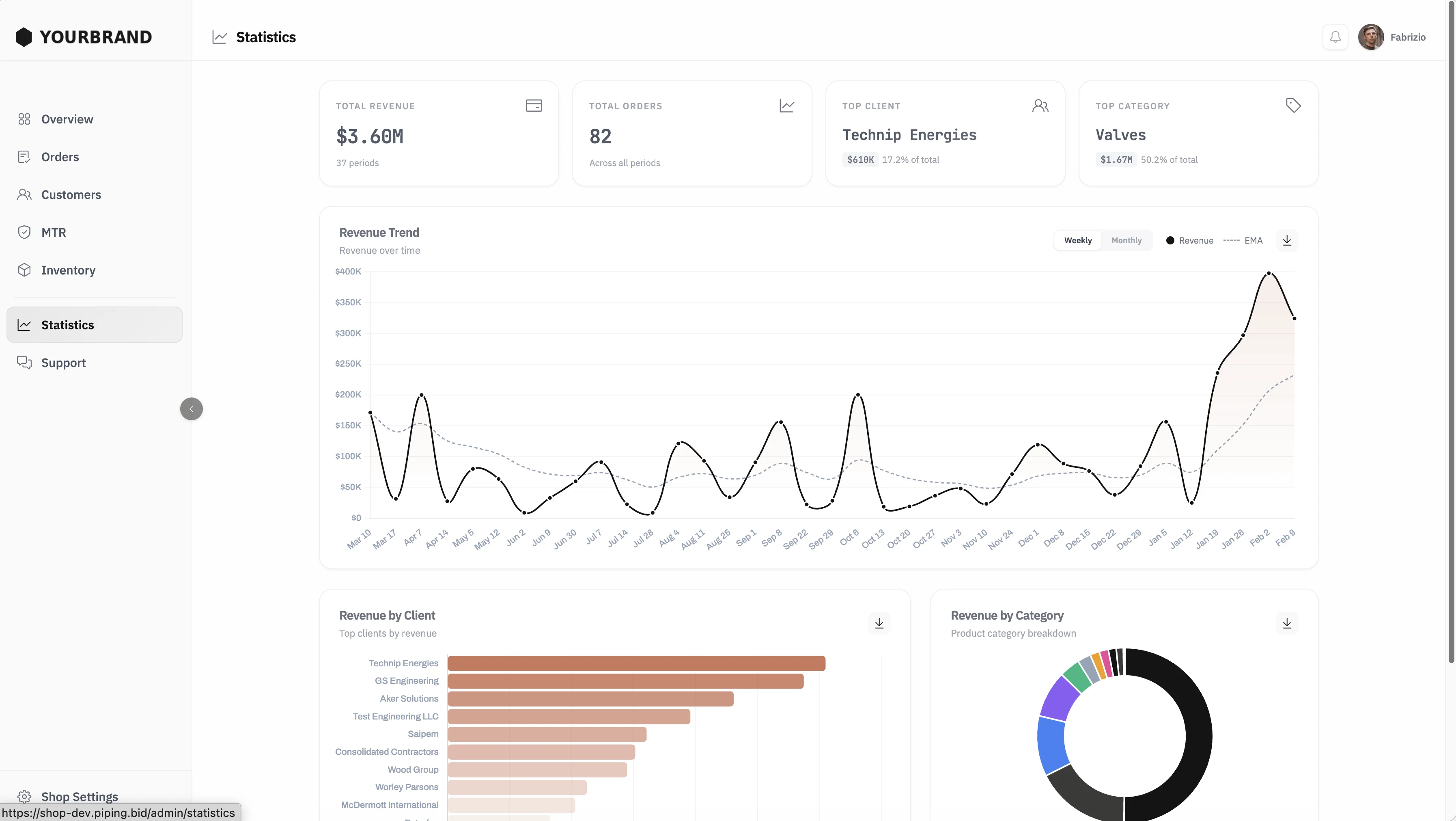
Statistics
Total revenue, order count, top clients, and category breakdown. Revenue trend over time with weekly and monthly views. Export charts for internal reporting.
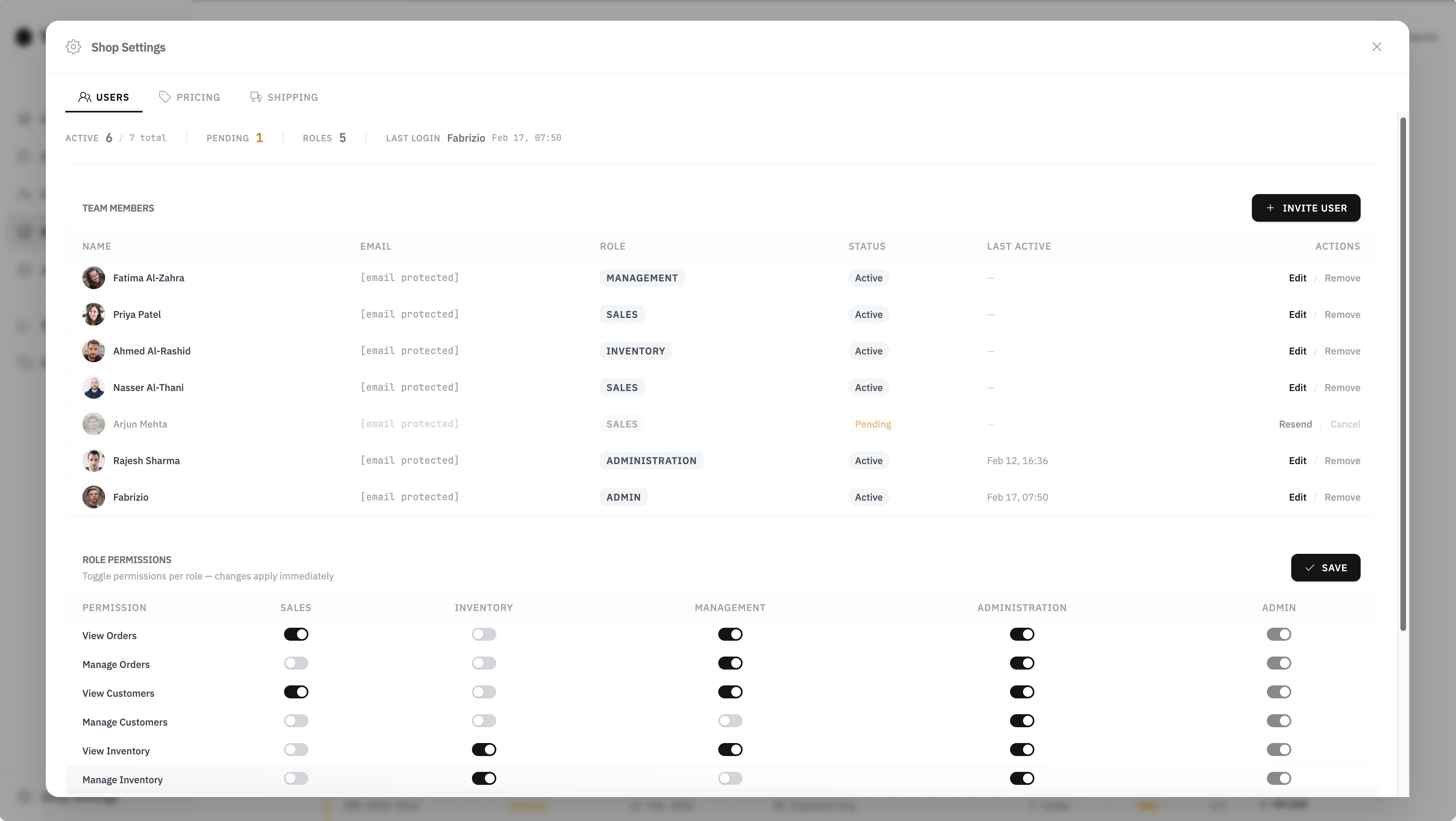
Team & Permissions
Invite team members with specific roles: sales, inventory, management, admin. Toggle permissions per role. Pricing and shipping settings in the same panel.
Built for Piping Suppliers
Not a generic shop builder. Every feature is designed for how piping suppliers actually work.
Controlled Access
Customers request access, you approve and assign a pricing tier. Bulk-invite from the dashboard when needed.
Magic Link Login
No passwords. Buyers click a link in their email to sign in. Zero friction, zero support tickets for forgotten credentials.
Single-Page Catalog
Your entire inventory on one page. Filter by type, size, material, origin, mill. Add to cart in one click.
Bulk Order
Buyers upload their RFQ or MTO in any Excel format. The normalizer maps columns automatically. No rigid templates.
Cart by Project
Separate carts for each project. Items, quantities, and pricing stay organized per job.
Focused Checkout
Distraction-free checkout with value-added services. Order goes through instantly if credit limit allows.
Buyer Dashboard
Open orders, total value, remaining credit, support tickets, and activity feed. Everything at a glance.
Mill Test Reports
All MTRs organized by order and project. Buyers check coverage, download documents, track pending items. No more email or WeTransfer.
Order Tracking
All orders in one view. Filter by status, project, date. Download CSV exports. Always know where the material stands.
Built-in Support
Tickets linked to orders. Chat with your team, attach files, track status. No separate email threads.
Powered by the Normalizer
When a buyer uploads an MTO, every item is normalized to a unique code and matched against your inventory. Any format, any language.