Quotes in Minutes. Not Days.
Upload the RFQ/MTO in FastRFQ and get a quote from your catalog in seconds. Review, send. Wow your customer.
How It Works
Upload, match, send. The normalizer does the heavy lifting.
Step 1
Upload RFQ/MTO
Buyer sends MTO/RFQ by email. Any Excel format. Upload it into FastRFQ.
Step 2
Normalize & Match
The normalizer identifies every item. Matches against your inventory or production capability.
Step 3
Send Quote
Automatic quote with your pricing. Review, adjust if needed, send to the buyer.
See It in Action
Quote for 100 Pipes Processed in 5 Seconds
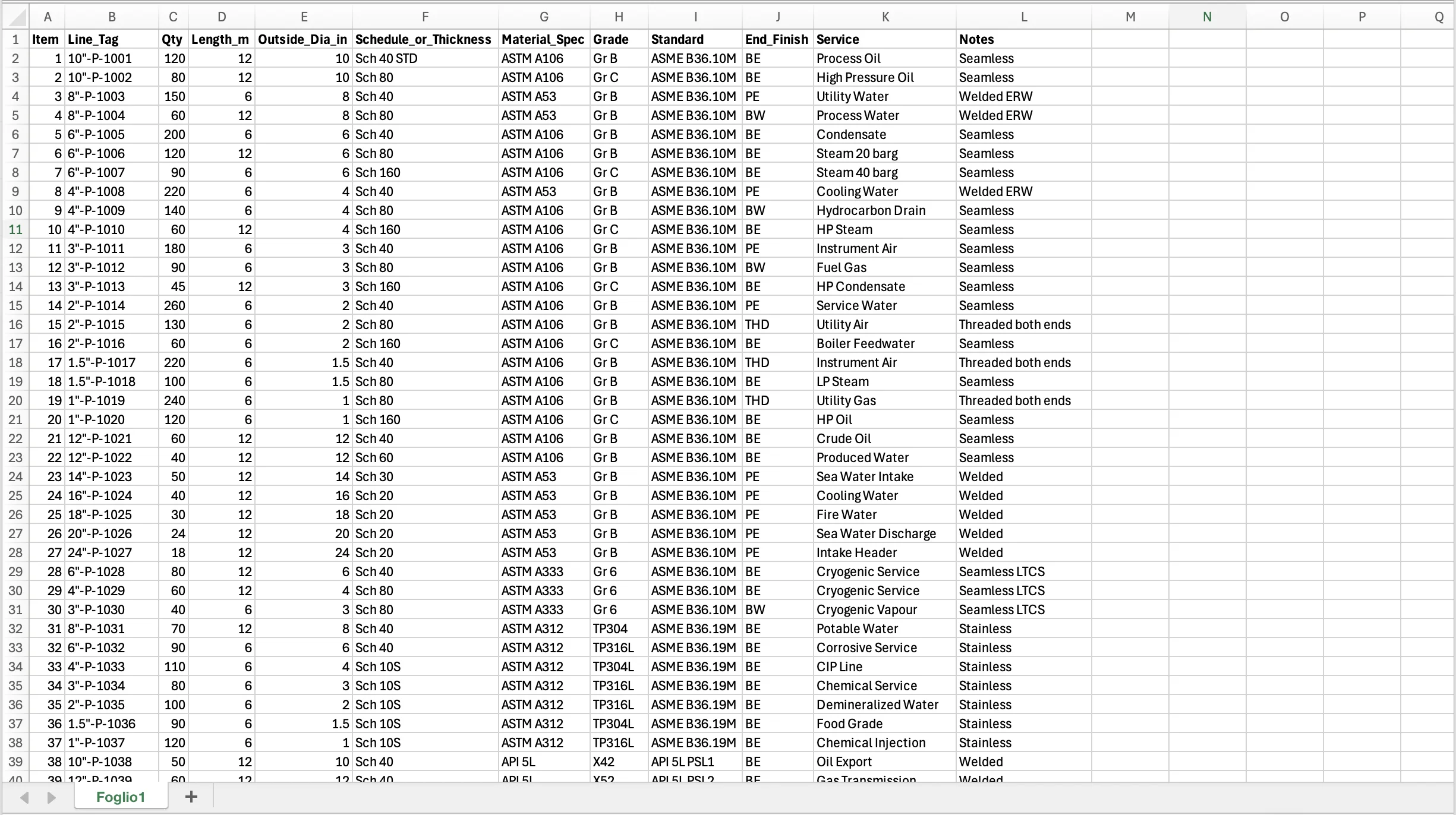
Example of RFQ
This is a simple one. FastRFQ handles much more complex files too: mixed units, multiple languages, merged cells, inconsistent naming.
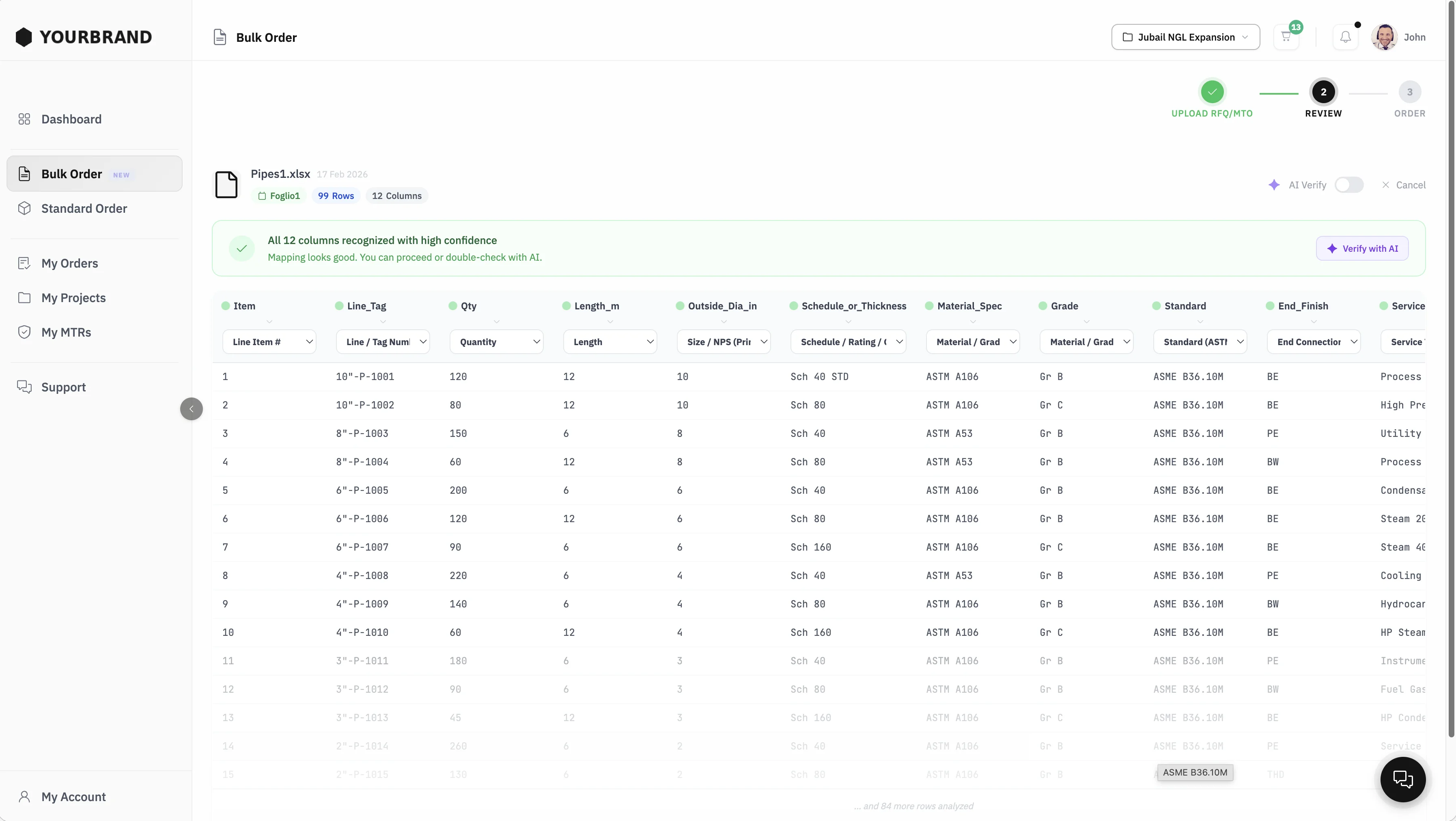
Normalized items, ready to quote
Every line normalized, matched to your catalog, with prices and lead times. Review, adjust, send.
For Stockists and Mills
Same tool, different use cases.
Stockists
Match RFQ/MTO against your stock. FastRFQ pulls your matching inventory, populates the quote, you review and send to client in a matter of minutes.
See PipingShopMills
Match RFQ/MTO against your production range. FastRFQ matches items against your line card, prices items based on your rules. You review the quote, and send it to the client.
Minutes
Quoting time
Any
Excel format accepted
<1%
Error rate
100%
Quote history
Powered by the Normalizer
Every line item in the RFQ is normalized to a unique code and matched against your inventory. Any Excel format, any column layout, any language.